Bump Up the Jam
A Little Music for Your Biggest Journey
Share music, stories, and familiar voices with your baby using Bump Up the Jam, an AirPod holder engineered to reduce and redirect sound before it reaches the belly.
What’s Included
- 1 Bump Up the Jam Headphone Holder
- 10 Double-Sided Medical Adhesive Pads
- 1 Carrying Case
- Safety and Setup Guide
- Lifetime Warranty
Good to Know
Compatible with:
- AirPods (1st, 2nd, 3rd and 4th Generation)
- AirPods Pro (1st, 2nd and 3rd Generation)
AirPods Are Not Included.
Before Your First Listen
Complete Setup Guide
Follow every step before attaching Bump Up the Jam to your belly. Keep your AirPods connected to your iPhone throughout setup.
Apple occasionally changes the location and names of settings when iOS is updated. The instructions below reflect Apple’s current menu layout and were last reviewed on October 26, 2026.
Set an 80 dB Headphone Limit
Standard iPhone route: Settings → Sounds & Haptics → Headphone Safety
- Open Settings on your iPhone.
- Press Sounds & Haptics.
- Scroll down and press Headphone Safety.
- Toggle on Reduce Loud Audio.
- Move the slider until it is set to 80 dB.
Turn Off Automatic Ear Detection
- Remove AirPods from their case and make sure they are connected to your iPhone.
- Open Settings.
- Press the name of your AirPods near the top of the Settings screen. Alternatively, open Bluetooth and press the information button next to your AirPods.
- Press Audio & Routing.
- Toggle Automatic Ear Detection off.
Note: Automatic Ear Detection may appear without opening Audio & Routing on some AirPods.
Insert the Left AirPod
Insert the left AirPod into the headphone holder in the proper orientation. Close the magnetic lid completely.
Play and Test the Audio
Begin at a low volume. Play your selected audio and hold the complete holder up to your ear. Confirm that the audio is playing clearly and that the volume is comfortable before continuing.
Apply the Holder
Attach a provided medical-grade adhesive pad to the bottom of the headphone holder. Place the holder securely on clean, dry skin on the belly.
Simple, Proper Placement
How It Sits
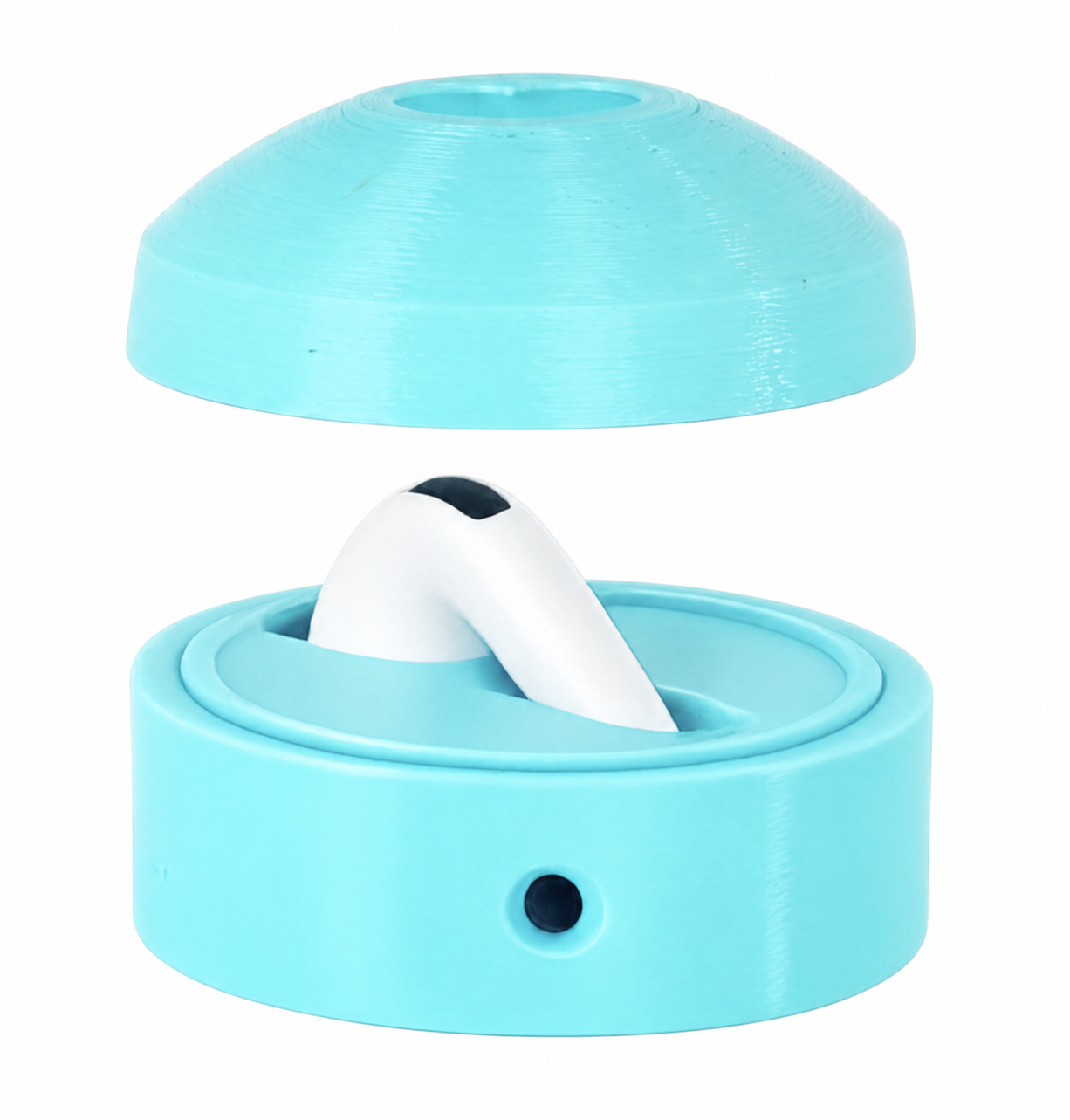
AirPod Placement
Insert left AirPod into the holder and close the magnetic lid completely.
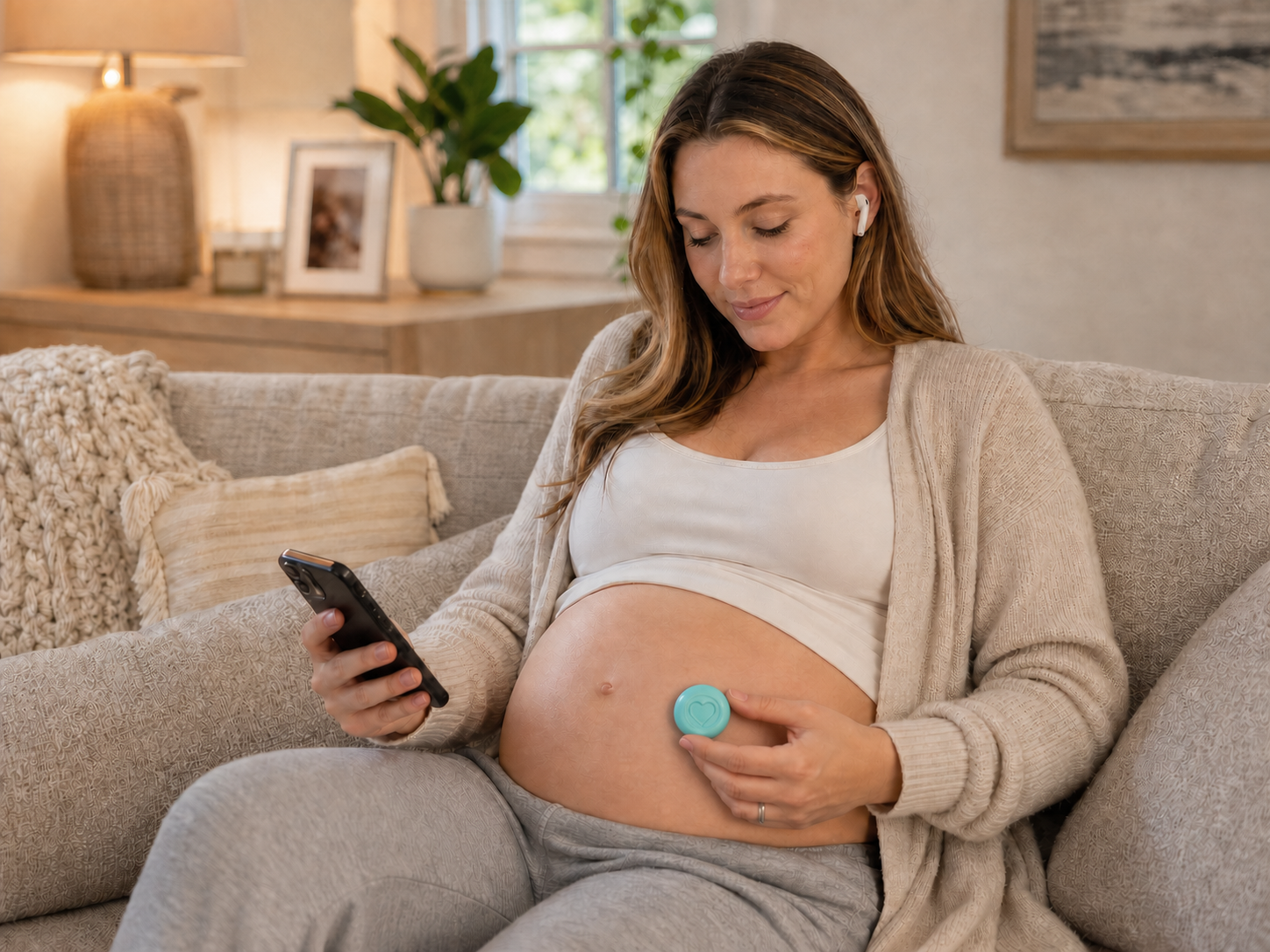
Belly Placement
Attach the provided skin-safe adhesive pad to the bottom of the headphone holder, then place the holder securely on the belly.
Sound-Reduction Design
Internal space and acoustic vents help reduce and redirect sound.
Safety-Led Setup
Enable the iPhone 80 dB headphone limit and test the audio before each use.
Intended for recreational use during pregnancy. Not a medical device. Use only as directed.
Little Ears. Big Responsibility.
Important Safety Information
Please read and follow these instructions before every use.
Bump Up the Jam is intended for occasional bonding and entertainment—not medical treatment, fetal development, or prenatal education.
Before Every Use
Always enable the iPhone 80 dB headphone limit, confirm Automatic Ear Detection is turned off, and test the audio at your own ear before placing the holder on your belly.
Required
Never
- Never use the product without the complete holder properly closed.
- Never cover, obstruct, alter, or enlarge the acoustic vents.
- Never place an AirPod directly against the belly.
- Never use damaged, modified, wet, or improperly fitting parts.
Required
Always
- Always begin listening at the lowest practical volume.
- Always remain awake and present while using the product.
- Do not sleep while using Bump Up the Jam.
Stop Immediately
Stop Use If
Stop using the product immediately if the sound seems loud, distorted, or uncomfortable.
Skin Care
Skin and Adhesive Safety
- Do not use on irritated, injured, numb, infected, or recently treated skin.
- Stop using the product if redness, itching, pain, blistering, or other skin irritation occurs.
Small Parts
Young Children Risk
Keep the holder, adhesive pads, and AirPods away from children when unattended. These products contain small parts.
Designed to Work as a Complete System
Bump Up the Jam is designed to work together with your iPhone’s volume controls, proper AirPod placement, and the holder’s sound-reduction features.
Using the product incorrectly, altering it, blocking its vents, or failing to enable the 80 dB headphone limit may increase sound exposure.
Understanding Sound Exposure
Sound exposure depends on volume, duration, frequency, repetition, proximity, and individual circumstances.
The commonly referenced NIOSH 85 dBA limit is an occupational exposure guideline and is not a prenatal or consumer-product safety standard.
Speak with an obstetric clinician before use if the pregnancy is high-risk or there are specific medical concerns.
Need a Hand?
Troubleshooting
Press a question below to see the solution.
Audio plays in your ear but won’t play in the holder
Make sure Automatic Ear Detection is turned off:
- Remove AirPods from their case, make sure they are connected to your iPhone, and open Settings.
- Press the name of your AirPods near the top of the screen. Alternatively, open Bluetooth and press the information button next to your AirPods.
- Press Audio & Routing.
- Toggle Automatic Ear Detection off.
Note: Automatic Ear Detection may appear without opening Audio & Routing on some AirPods.
The sound doesn’t seem loud enough
Bump Up the Jam is not intended to produce sound that is loud enough for you to hear clearly while the holder is attached to your belly. Do not increase the volume simply to make the audio audible to you from outside the holder.
Before placing the holder on your belly, confirm that the audio is playing by holding the complete, closed holder near your ear. Begin at the lowest practical volume and keep the iPhone’s 80 dB headphone limit enabled.
Sound travels differently through the holder and the body, and what you hear from outside the holder does not indicate exactly what can be heard in the womb. Fetal responses to sound also vary by gestational age.
If no sound is playing, confirm that Automatic Ear Detection is turned off and that the left AirPod is properly inserted.
The AirPod doesn’t fit in the holder
- Confirm that you are inserting the left AirPod. The holder is designed for the left AirPod only.
- Do not force the AirPod into the holder or modify the holder.
Compatible AirPods
- AirPods: 1st, 2nd, 3rd and 4th Generation
- AirPods Pro: 1st, 2nd and 3rd Generation
AirPods are not included.
The headphone holder keeps falling off
- Make sure the skin is clean and completely dry.
- If your adhesive pads are specifically approved as washable and reusable, lightly wash the pad with warm water and mild soap. Allow it to air-dry completely before reuse.
- If the pad is disposable, damaged, dirty or no longer holding, replace it with a new approved adhesive pad.
- Do not use household glue or an adhesive that has not been approved for skin contact.
Need replacements? Contact admin@smashgoods.com .
I’m out of adhesive pads
Contact us at admin@smashgoods.com to request replacement adhesive pads.
Thoughtfully designed for pregnancy
Made for the Journey to Motherhood
From sharing meaningful sounds to celebrating every week of pregnancy, discover products designed to make the journey a little more special.
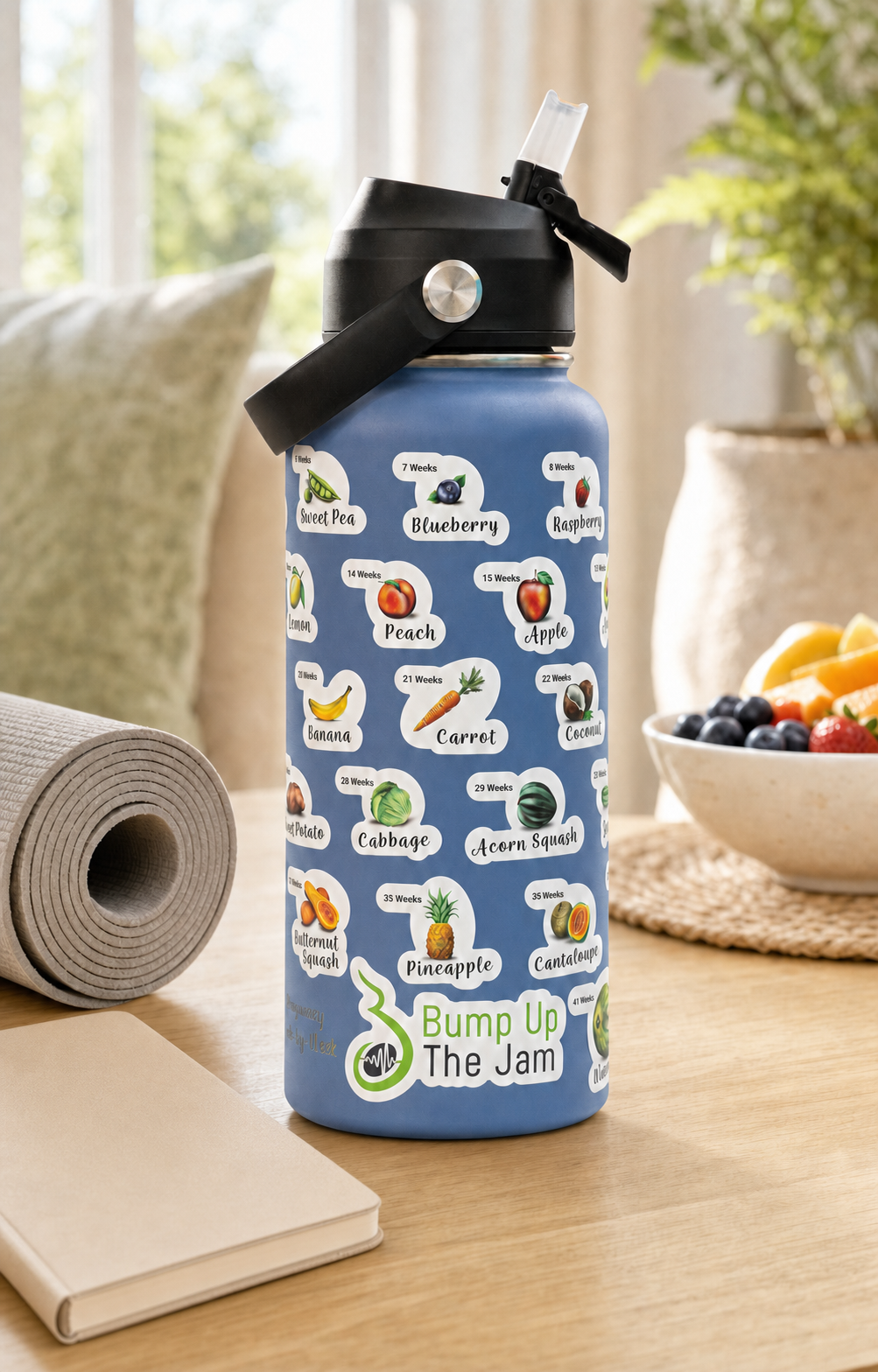
Celebrate every milestone
Hydration for Every
Step of the Journey.
Stay hydrated while following your baby’s growth every week from sweet pea to watermelon.
Shop Pregnancy Water BottlesExplore available bottle styles and colors.
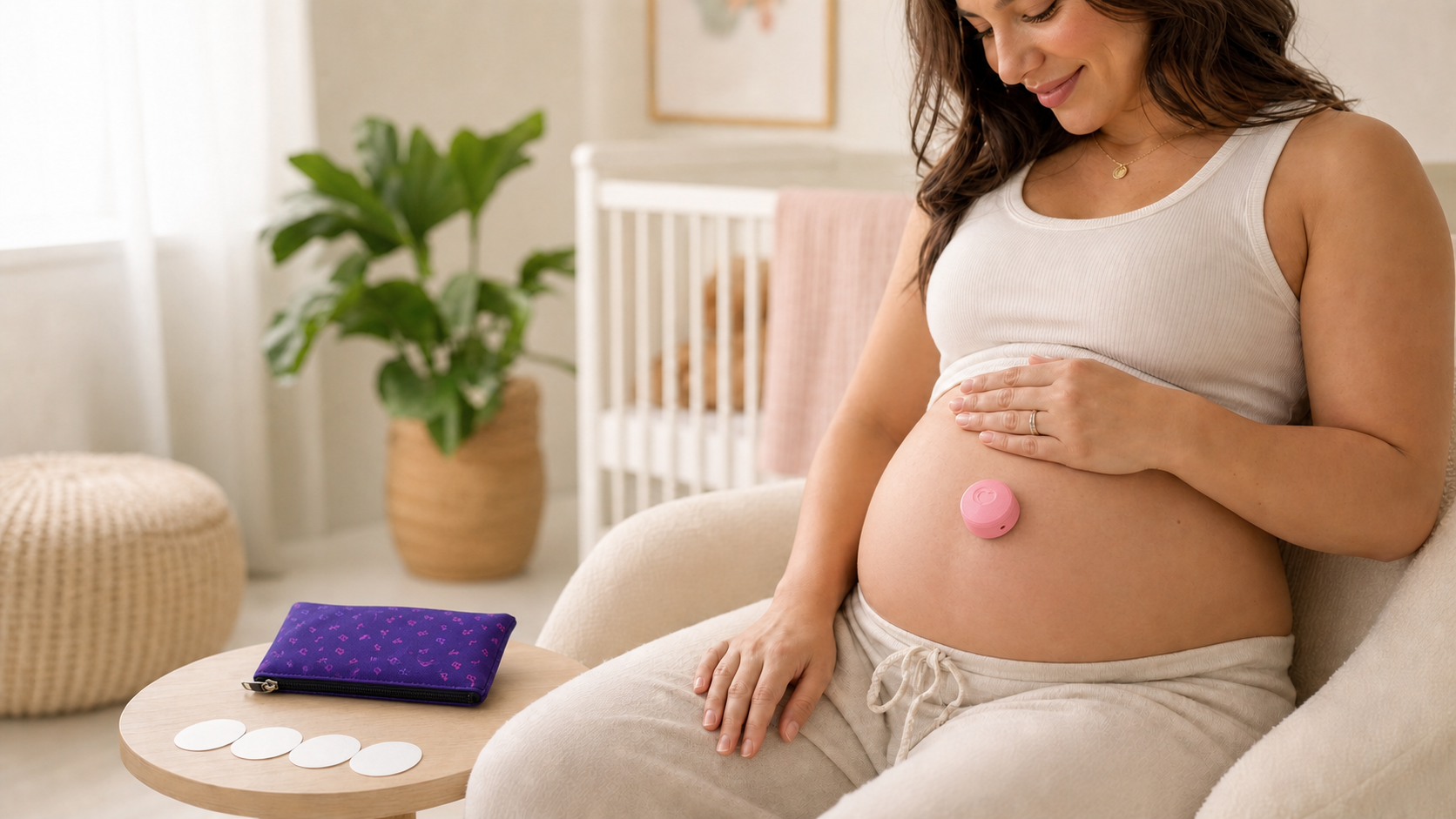
Share meaningful moments
Share the Sound.
Feel the Connection.
Bump Up the Jam is an AirPod holder engineered to reduce and redirect sound for a more thoughtful listening experience.
Shop Belly HeadphonesCompatible with AirPods and AirPods Pro. AirPods not included.
Our Promise
Lifetime Replacement Promise
Life happens. If your Bump Up the Jam headphone holder is ever broken, damaged, worn out, accidentally destroyed, misplaced, or lost, we’ll replace it for free.
This promise lasts for the lifetime of the original purchaser and applies to the Bump Up the Jam headphone holder purchased from Smash Goods or an authorized seller. Proof of purchase may be required.
The Lifetime Replacement Promise covers the holder, adhesive pads and carrying case. It does not include AirPods or other accessories.
Request a Replacement
Email admin@smashgoods.com with your name, order number or proof of purchase, mailing address, and a brief description of what happened.
If the original color or model is no longer available, we may provide the closest comparable Bump Up the Jam holder.
Support
Still Need Help?
We’re happy to help with setup, compatibility, replacement adhesive pads, product care, or warranty questions.
Email: admin@smashgoods.com